
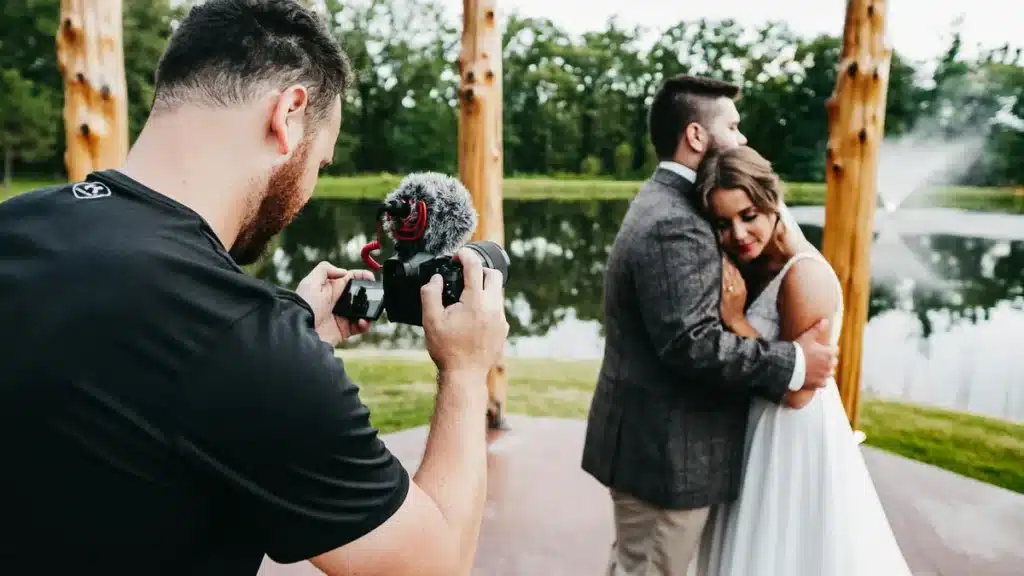
Years from now, a wedding video lets you hear the vows, the toasts and the laughter all over again. Hiring a videographer isn’t the only way to get one. You can film your own wedding video by handing camcorders to a few trusted friends and family members, then having the footage edited into a short film. This guide covers the shot list, who should hold the camera, how to keep footage steady and clear, and how Rent My Wedding’s party video packages work.
Key takeaways
- A shot list and two or three dedicated camera holders do most of the work.
- Rent My Wedding’s video packages include Sony UHD 4K camcorders, fully charged batteries and 128 GB SD cards.
- Each SD card can hold up to 8 hours of Full HD 1080p video.
- The team turns your footage into a professionally edited video and sends you the source footage too.
Why guest-shot footage works
A single professional can only stand in one place at a time. Guests are everywhere: in the getting-ready room, at the back of the ceremony, on the dance floor and at the late-night snack table. Their footage catches the candid moments that a planned shoot can miss, such as a grandparent’s happy tears.
It also feels personal. The people holding the camera know the couple, so they know which friends to film and which inside jokes to capture. Using a rented camcorder instead of phones keeps guests’ phones free for photos and gives you footage in one place, on one card, instead of scattered across dozens of devices.
How to film your own wedding video, step by step
1. Make a shot list
Write down the moments you can’t miss and give a copy to everyone filming. A typical list looks like this:
- Getting ready and the first look
- The processional, the vows and the ring exchange
- The recessional and the reception entrance
- The first dance and parent dances
- Toasts and the cake cutting
- Short messages from guests to the couple
- The send-off at the end of the night
2. Choose your camera crew
Pick two or three reliable people rather than passing the camera around at random. Give each person a job. One can film the ceremony from a fixed spot near the front, while another moves around for reactions and details. At the reception, one person can stay near the head table for toasts while the other covers the dance floor.
3. Prepare the gear the day before
Unpack the camcorder, check that the batteries are charged and do a short test recording. Show each camera holder how to start and stop recording, and agree on who keeps the spare batteries and SD card.
Tips for steady, clear footage
Good wedding footage is mostly about patience. A few habits make a big difference:
- Hold each shot for at least 10 seconds before moving on.
- Use both hands and keep your elbows close to your body, or lean against a wall or pillar.
- Move slowly. Walk instead of running, and turn your whole body instead of swinging the camera.
- Stand close to whoever is speaking during the vows and toasts, so the camera’s microphone picks up their voice.
- Keep the light behind you or to the side, and avoid filming straight into a bright window.
- Leave a little space around people instead of placing them dead center. The rule of thirds is an easy way to frame each shot.
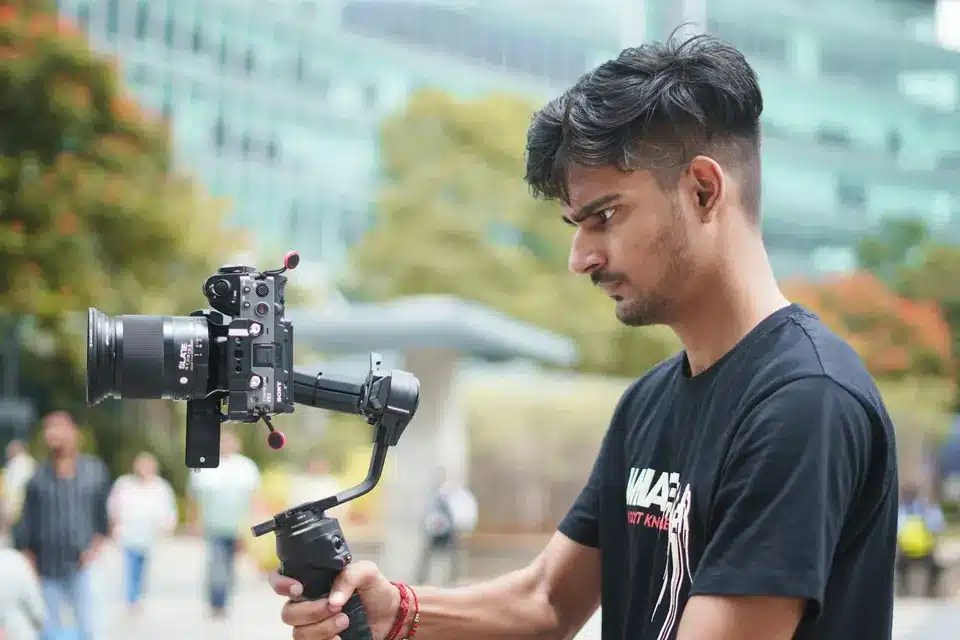
Professional videographers often use stabilizers like the one above, but you don’t need one. Slow movement and steady hands get you most of the way there.
Base package or Pro package?
Rent My Wedding offers two party video packages.
| Base Package | Pro Package | |
|---|---|---|
| Camcorders | 1 Sony UHD 4K camcorder | 2 Sony UHD 4K camcorders |
| Edited video | 4 to 5 minutes | 5 to 8 minutes |
| Batteries | 3 fully charged batteries | 6 fully charged batteries |
| SD cards | One 128 GB card | Two 128 GB cards |
| Raw footage | Included | Included |
The Base Package suits a smaller wedding with one main camera holder. The Pro Package helps when you want to cover two places at once, such as the ceremony from the front and the guests from the side.
What happens after the wedding
The video package arrives in 1 small package, and Rent My Wedding schedules orders to arrive at least two days before the event. The rental period is 5 days, so there is time to test the camcorder before the big day.
After the wedding, pack the camcorder and accessories in the same box, attach the prepaid return label and drop it at a FedEx location within two days. Returns must be handed in at a physical FedEx location, not left in a FedEx drop box. Once the camcorder is back at the warehouse, the team creates your professionally edited video and sends you all the source footage, so you can watch every clip your guests filmed. The FAQs page covers shipping and returns in more detail.
A quick checklist before the wedding
- Print the shot list for each camera holder.
- Charge and test the camcorder the day before.
- Assign ceremony and reception roles.
- Pick a quiet corner for guest messages.
- Collect the camcorder and cards at the end of the night.
When you film your own wedding video with the people who know you best, you get a keepsake that feels like your day, not a stranger’s version of it. If you are also renting décor or lighting, you can add it to the same order from the full list of event rentals, or pair the video with a DIY photo booth for guests.
Photos: Chris and Sanket Mishra on Unsplash.
Want your guests to film the day?
Tell us your date and the moments you want covered, and the team can help you choose a video package.
FAQ
What comes with a Rent My Wedding video package?
The Base Package includes one Sony UHD 4K camcorder, 3 fully charged batteries, a 128 GB SD card, a 4 to 5 minute professionally edited video and your source footage. The Pro Package includes two camcorders, 6 batteries, two SD cards and a 5 to 8 minute edited video.
How much footage can the SD card hold?
Each SD card can safely hold up to 8 hours of Full HD 1080p video. The more your guests film, the more raw footage you will get back.
How is the video package shipped and returned?
It arrives in 1 small package, scheduled at least two days before your event. After the event, pack it in the same box, attach the prepaid return label and hand it in at a physical FedEx location; it cannot be left in a FedEx drop box.
People Also Ask
Can I film my own wedding?
Yes. Many couples ask friends or family to film with a camcorder, then have the footage edited into a short video. A shot list and two or three dedicated camera holders make the result much better.
How do you record your own wedding ceremony?
Set one camera in a fixed spot with a clear view of the couple and the officiant, close enough to pick up the vows, and start recording before the processional. A second person can film guest reactions from the side.
What is a DIY wedding video kit?
It is a rental package with a camcorder and accessories that guests use to film the event. Rent My Wedding’s kits include a Sony UHD 4K camcorder, batteries and an SD card, and the team edits the footage into a short video.


